 SnipSheet
How to convert a PDF table to Excel on a Mac
If you have looked for "Get Data from PDF" in Excel on your Mac and couldn't find it, you are not doing anything wrong: Excel for Mac simply doesn't have it.
Excel for Mac can't import PDFs. The easiest workaround is a browser tool: open the PDF in Chrome with SnipSheet, drag a box around the table and download an Excel file.
Why Excel for Mac can't import PDFs
The PDF import in Excel (Data > Get Data > From PDF) is part of Power Query, and the Mac version of Power Query doesn't include a PDF connector. Microsoft's own moderators confirm this in their forums. Copying from Preview usually gives you all the text in one column.
Option 1: Copy from Preview and split the text
- Open the PDF in Preview, select the table text and copy it.
- Paste it into Excel. Each row usually ends up in one cell.
- Use Data > Text to Columns and split on spaces.
This can work for very simple tables, but names with spaces (like "New York") get split into two columns, and it doesn't work for scanned PDFs.
Option 2: Use SnipSheet in Chrome
SnipSheet is a free Chrome extension that works the same on Mac and Windows.
- Install SnipSheet from the Chrome Web Store.
- Click the SnipSheet icon, then Open PDF or image, and choose your PDF.
- Drag a box around the table and click Extract table.
- Click Download Excel. The file opens in Excel and in Numbers.
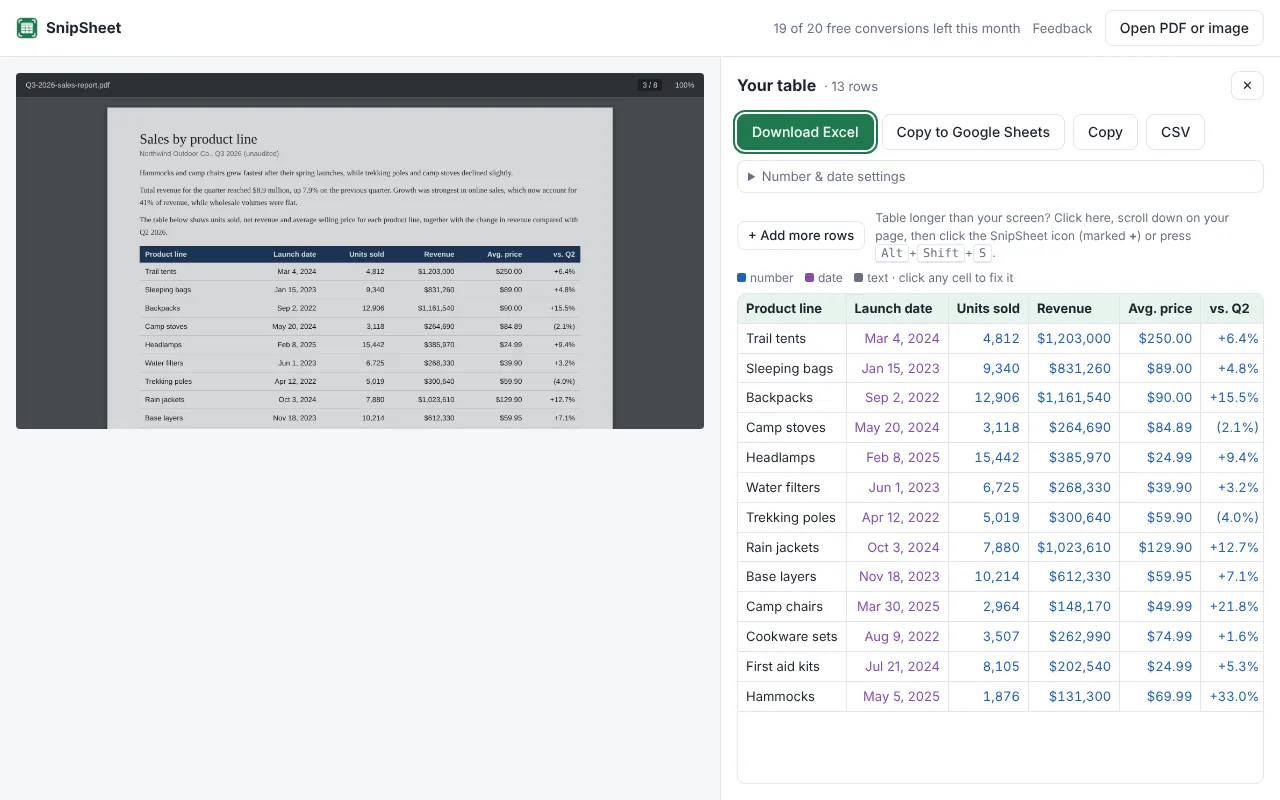
It also reads scanned PDFs and screenshots. For a table in another app, take a screenshot with ⌘+Shift+4, then paste it into SnipSheet with ⌘+V.
What about Numbers?
Numbers can't import tables from PDFs either. The Excel file SnipSheet creates opens in Numbers, or you can click Copy in SnipSheet and paste the table straight into a Numbers sheet.
Try SnipSheet free. 20 tables a month, no sign up. It comes with a sample table so you can see how it works in seconds.
Add to Chrome, it's freeQuestions
Does Excel for Mac have Get Data from PDF?
No. The PDF connector is only in Excel for Windows. On a Mac you need another tool, such as a browser extension.
Does SnipSheet work in Safari?
No, SnipSheet runs in Chrome (and Chrome-based browsers like Edge and Brave), which you can install on a Mac for free.