 SnipSheet
Converting PDFs to Excel with European number formats
In much of Europe, 1.234,56 means one thousand two hundred and thirty-four point five six. Many converters read it as 1.234 or keep it as text, and dates like 03.04.2026 get flipped.
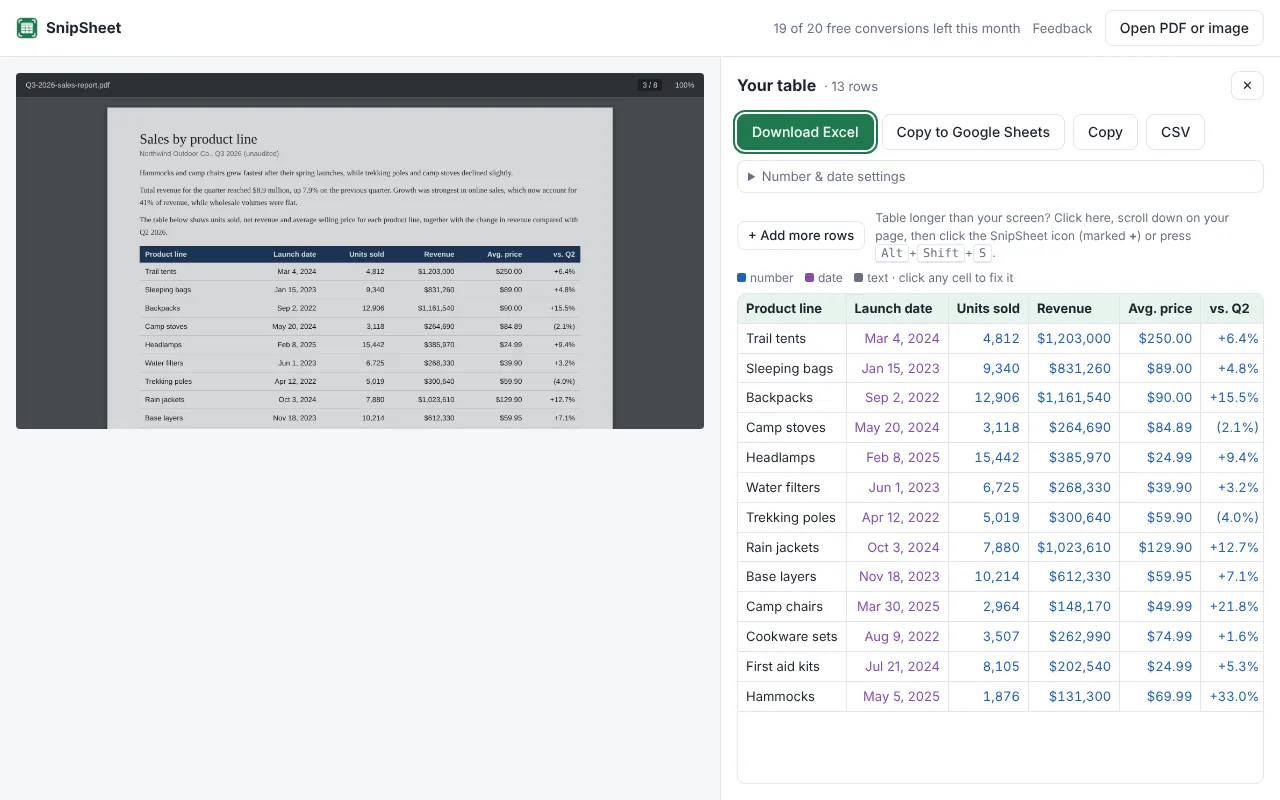
SnipSheet detects the decimal separator per column, so 1.234,56 kr., 12,5 % and (1.250,00) become real numbers. If a column is ambiguous, you can set the number format by hand.
Why European numbers go wrong
A converter that assumes US formats reads the comma as a thousands separator and the dot as a decimal point. So 1.234,56 becomes 1.23456 or text, and 1.500 (one thousand five hundred) becomes 1.5. Percentages like 13,3 % and currencies like kr. or € usually stay as text.
How SnipSheet handles it
- Per column detection: it looks at all the values in a column to decide whether the comma or the dot is the decimal separator.
- Currencies and percentages: kr., €, $, £ and % are recognised, and the value becomes a number with the right format in Excel.
- Negative amounts: -1.250,00 and (1.250,00) both become negative numbers.
- Dates: day/month and month/day are detected from the values. You can override both in Number & date settings.
CSV files and decimal commas
If you export as CSV and your Excel uses decimal commas (common in Denmark, Germany, the Netherlands and others), SnipSheet uses semicolons as separators, so the file opens in the right columns.
Try SnipSheet free. 20 tables a month, no sign up. It comes with a sample table so you can see how it works in seconds.
Add to Chrome, it's freeQuestions
Why does Excel show my PDF numbers as text?
Usually because the number format in the PDF (like 1.234,56 or 12,5 %) doesn't match what the converter expected. SnipSheet detects the format so the values become numbers.
Can I force a specific number format?
Yes. Open Number & date settings in SnipSheet and choose 1,234.56 or 1.234,56.